RPGMAKERMZ_Drakul_Time_HUD
A downloadable project
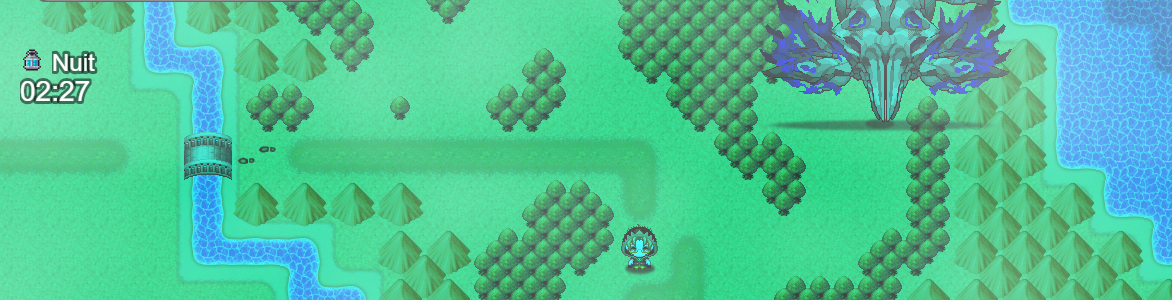
Drakul Time HUD is a plugin for RPG Maker MZ that displays the in-game time and the current day/night phase directly on screen. It supports both a simple Day/Night system and a complete cycle with Dawn, Day, Dusk, and Night. The creator can customize the position of each element, choose icons from the game’s IconSet, display the information on the map and in the menu, and control the system through plugin settings, variables, switches, and events.
Download
Install instructions
- Download the plugin file.
- If the file is in
.txtformat, rename it to.js. - Place the plugin file in your project’s
js/pluginsfolder. - Open RPG Maker MZ and go to the Plugin Manager.
- Add the plugin and make sure it is turned ON.
- Configure the plugin parameters as you want.
- Save your project and launch the game.
Requirements:
- RPG Maker MZ
- No additional libraries or external programs are required.
Leave a comment
Log in with itch.io to leave a comment.